Upload the skill to ChatGPT
Add the Slop Sentry skill to ChatGPT so it knows when to run each check.
First, download the skill file. On your account page, under Skill instructions, select Download SKILL.md. Then add it to ChatGPT:
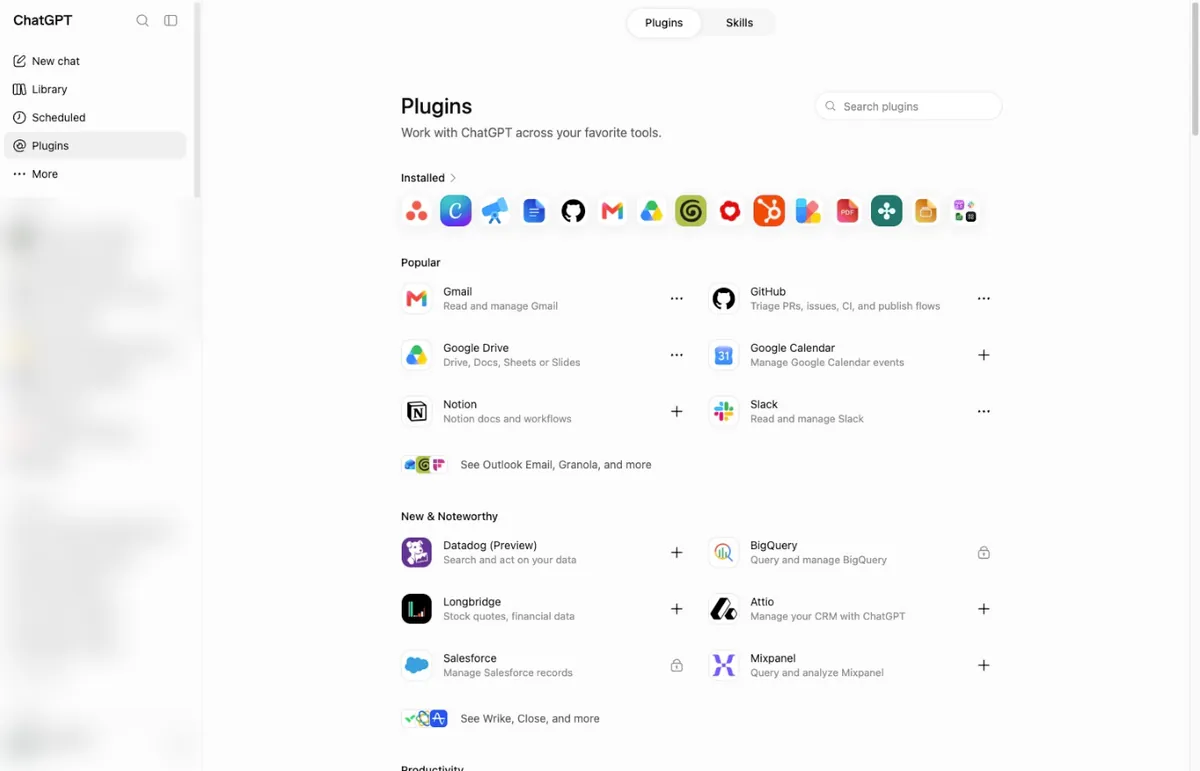
Step 1: Open Plugins
In ChatGPT, select Plugins in the left sidebar.
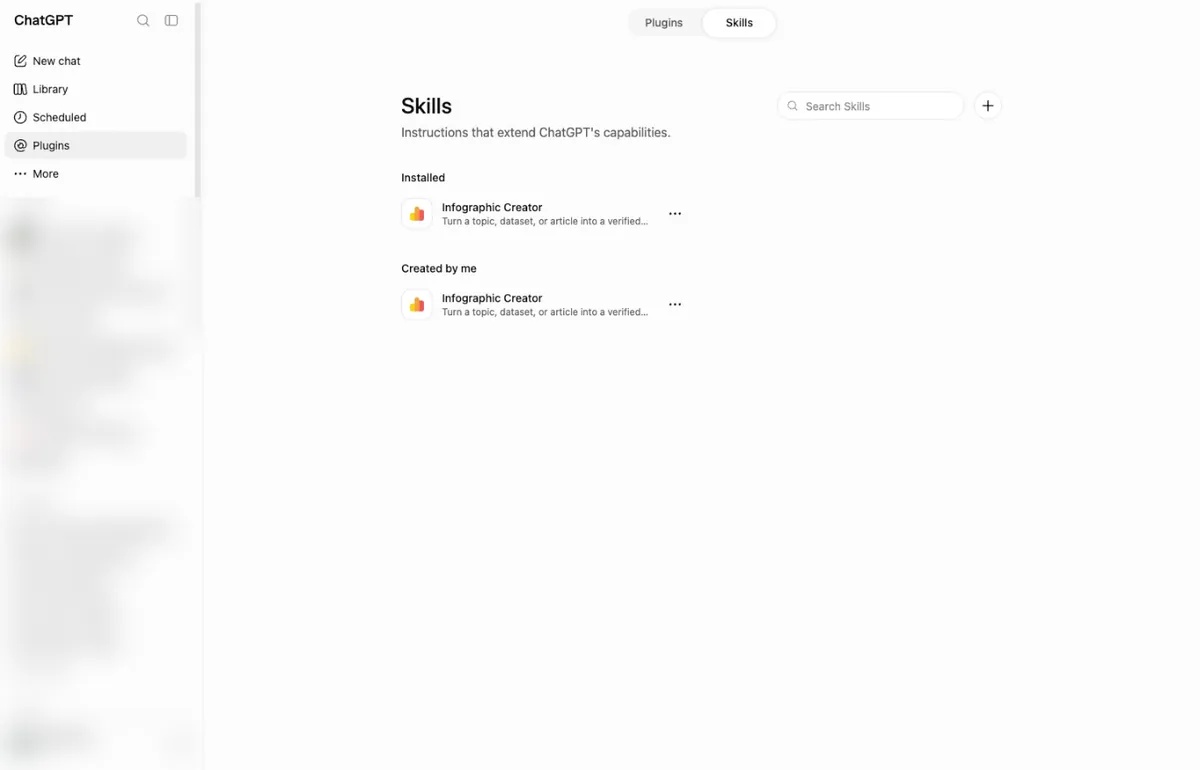
Step 2: Open Skills and select +
Select the Skills tab at the top of the page, then select the + button next to Search Skills.
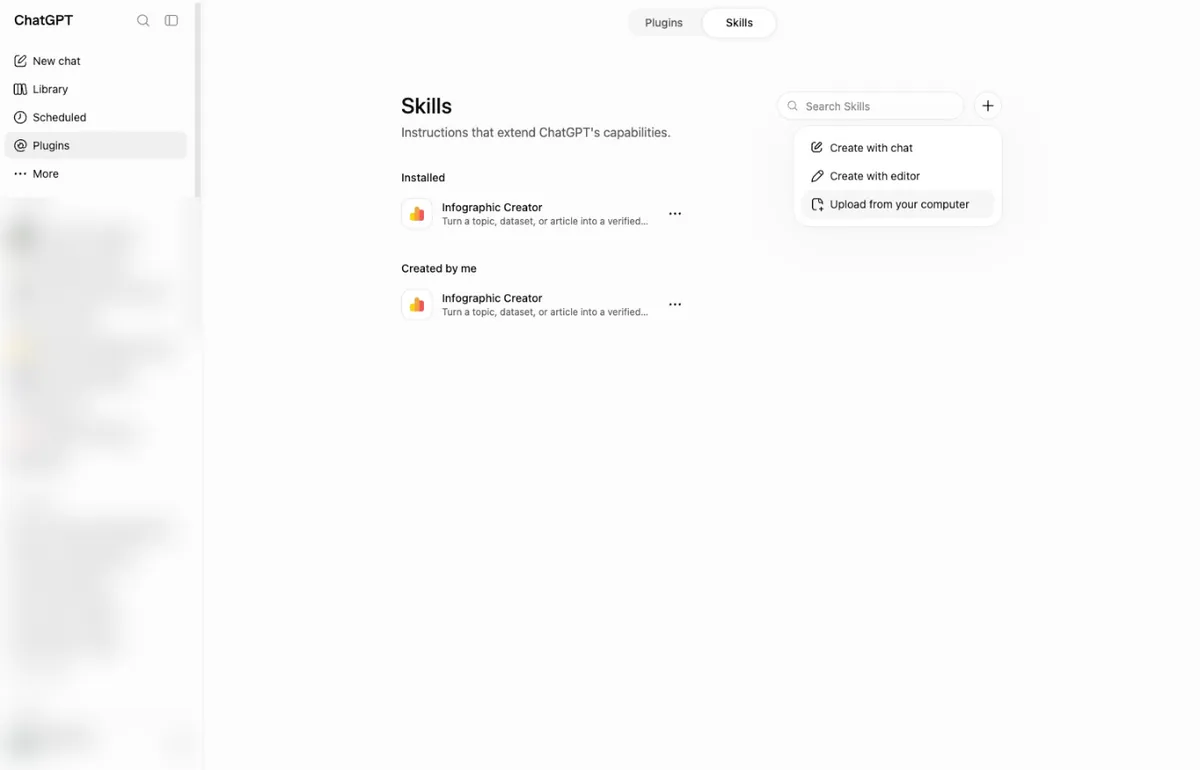
Step 3: Choose Upload from your computer
From the menu, choose Upload from your computer.
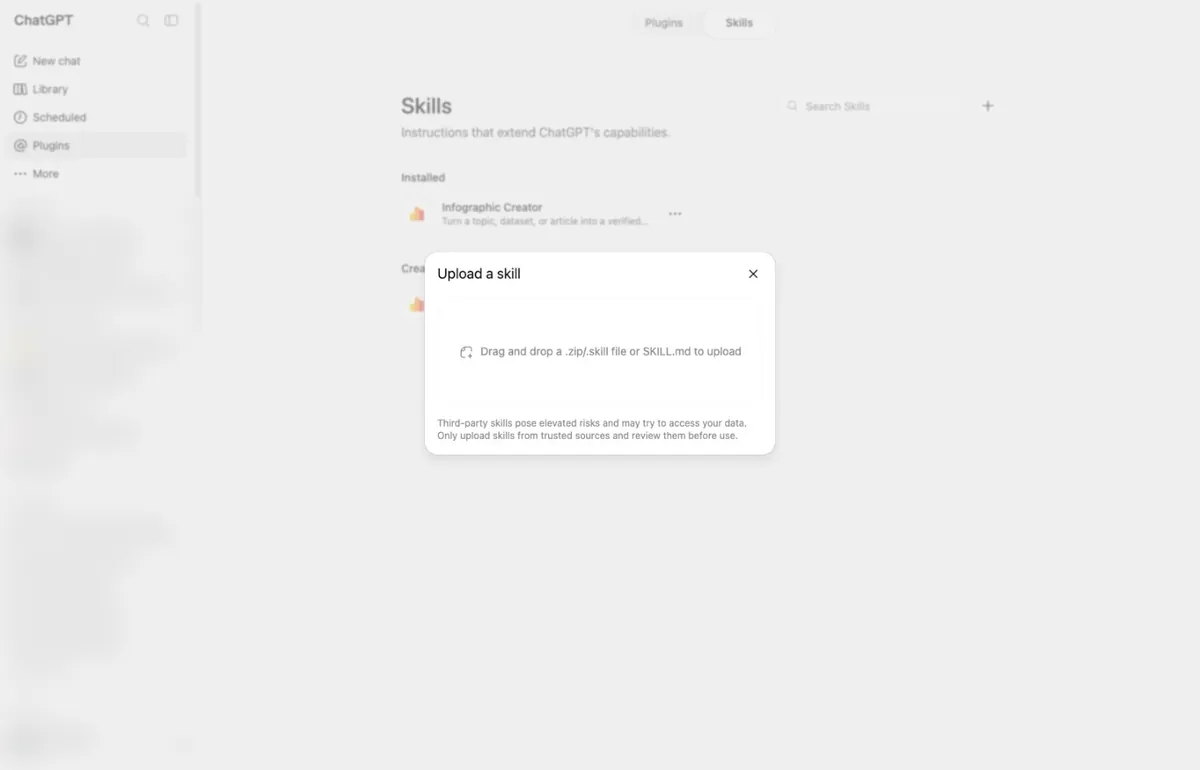
Step 4: Add the file
Drag your SKILL.md file into the Upload a skill box, or click the box and choose the file. Slop Sentry then shows under Created by me.
Connect the MCP server
Add https://mcp.slopsentry.ai, approve browser sign-in, then run your first
draft through full-edit.